一、背景说明
由于python3的urllib与python2有不少差别,而且urllib.request请求的一些写法不太符合人的思维习惯(文档也相当难看)
所以搞得真不太想用python,直到看时注意到下边这句话

比较起来requests确实比较好用,也当清晰;虽然requests不属于标准库需要自己额外安装一下,但仍比较推荐使用。
1.1 适用版本
适用于python2.6、python2.7、python3.4及以上版本,参见。
我这里使用的是当前最新的python3.7。
1.2 安装requests模块

pip install pipenv
pipenv install requests
二、使用requests模块完成各种操作
下边对于https的链接请求时会带上”verify=False“参数,因为默认Python会进行证书校验如果不是信任的证书会报错,带上”verify=False“指示不进行证书校验。
2.1 引用requests模块
import requests
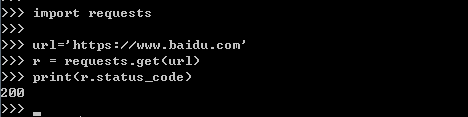
2.2 get请求
import requests

url='' r = requests.get(url,verify=False) print(r.status_code)
2.3 post请求
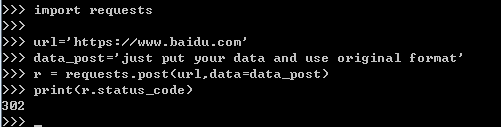
import requests

url='' data_post='just put your data and use original format' r = requests.post(url,data=data_post,verify=False) print(r.status_code)
2.4 使用代理
import requests

url='' proxies={ 'http':'127.0.0.1:8080', 'https':'127.0.0.1:8080' }
r = requests.get(url,proxies=proxies) print(r.status_code)
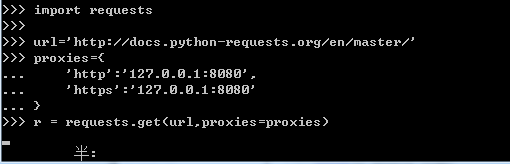
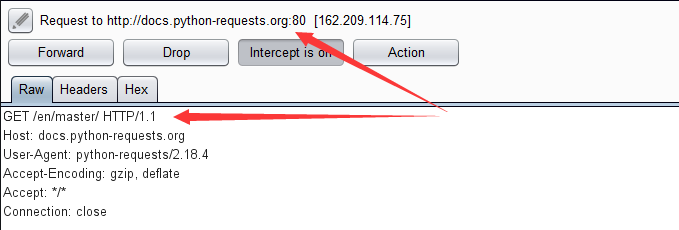
2.5 自定义header
import requests

url='' headers={ 'User-Agent':'self-defind-user-agent', 'Cookie':'name=self-define-cookies-in header' }
r = requests.get(url,headers=headers) print(r.status_code)

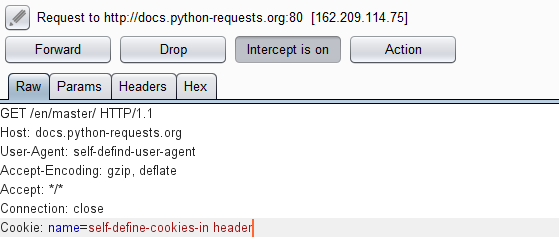
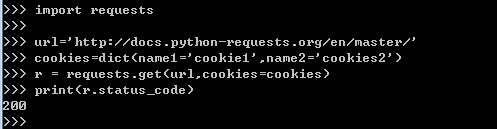
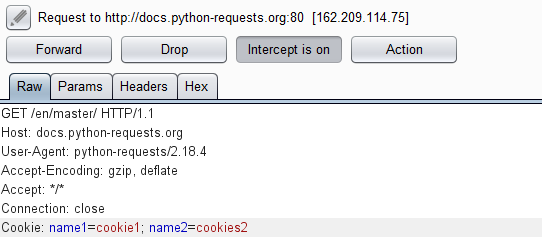
2.6 自定义Cookie
实验发现如果自定义header中定义了cookies那么此处设置的cookies不生效
import requests

url=''
cookies={'name1':'cookie1','name2':'cookies2'}
#cookies=dict(name1='cookie1',name2='cookies2')
r = requests.get(url,cookies=cookies)
print(r.status_code)